Start with what you know.
A teaching brief, your script, or reference notes. Give your lesson a direction and build an outline you can refine.
 ganimed
EDUCATION TECHNOLOGY · IN DEVELOPMENT
Turn what you know into something they can see.
We’re building an animation studio that helps educators turn their knowledge into clear, engaging lessons.
Built around your teaching. Currently in development.
classroom explanation ✳ online course ✳ lightbulb moment
OUR MISSION
Making a great visual lesson should start with teaching, not hours of production. Ganimed is building tools that help educators explain complex ideas through animation, while keeping control of their content.
A teaching brief, your script, or reference notes. Give your lesson a direction and build an outline you can refine.
Edit the words, voice, visuals, and pacing. Work scene by scene, with an explanation that stays under your control.
Organize lessons into projects. Keep the style consistent, plan a series, and export finished lessons as a course.
SCRIPT IT. VOICE IT. SHIP IT.
A clear path from lesson idea to finished video.
Room to make it yours at every step.
Created on your Mac.
Ready for wherever you teach.
Describe the lesson, add your material, and choose a template. Ganimed turns the brief into short, editable scenes.
Review your scripts. Pick a narrator, or record your own voice. Refine the visuals and rebuild the scenes that need another pass.
Render and assemble on your computer. Export the video, or package your finished course with captions and chapter notes.
A LITTLE STYLE. A LOT OF CLARITY.
Twelve lecture templates. Colors, type, and teaching cards you can customize. A consistent look, from your first scene to your final lesson.
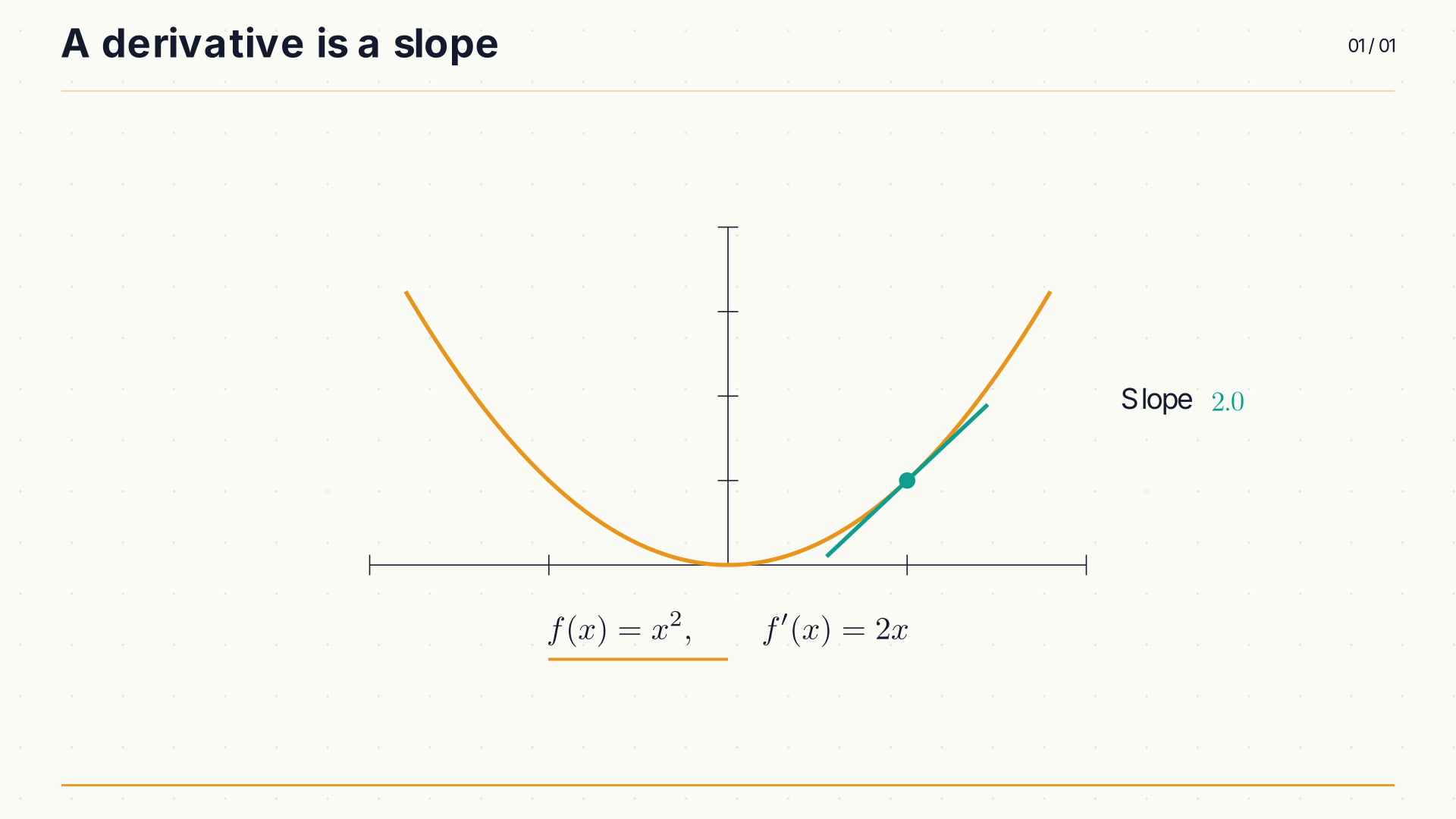 Watch sample
Warm, focused, quietly academic.
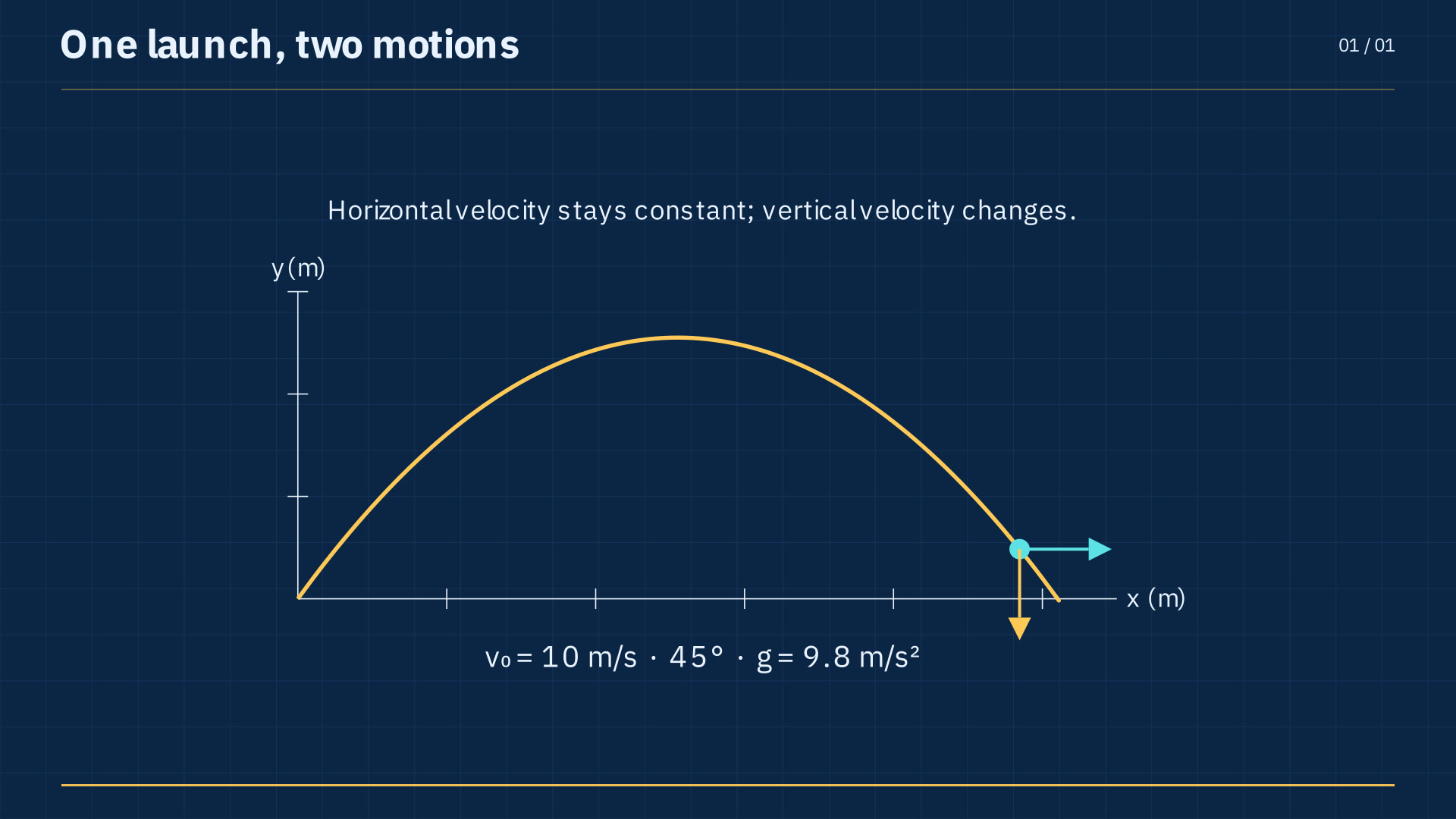 Watch sample
Precise thinking. Room to explore.
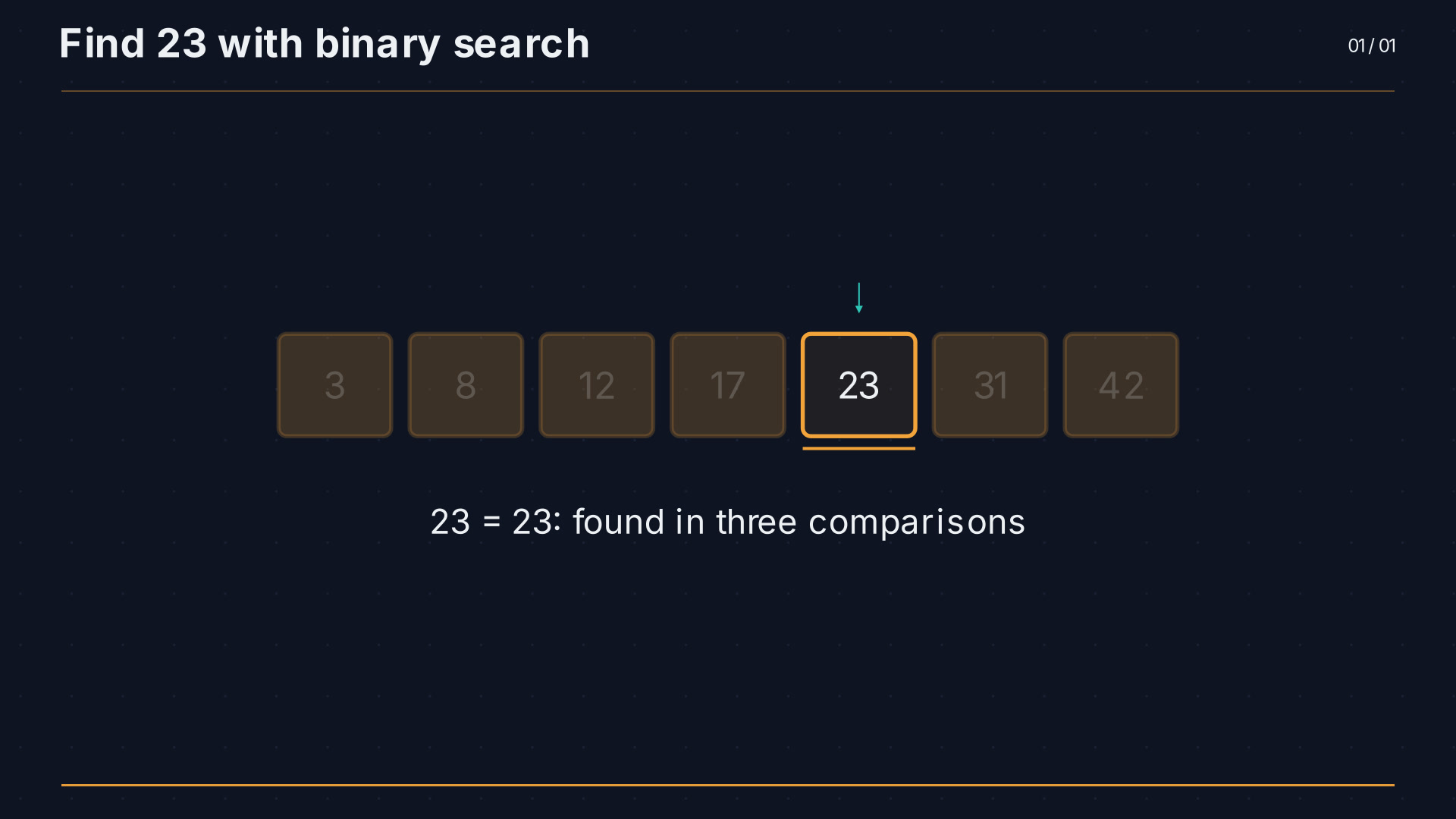 Watch sample
A bright idea on a dark canvas.
Also in the studio: Chalkboard, Notebook, Slate, Sepia, Swiss, Playful, Terminal, Ocean, and Graph.
WHAT WE’RE BUILDING
Our approach combines language-model-assisted lesson planning with programmatic animation and narration. The desktop prototype keeps projects and rendering on your computer, with editable scenes at the heart of the workflow.
Generation requires an internet connection. Provider usage is billed separately.
BEFORE YOU BEGIN
Educators, course creators, and curious people who want to explain an idea visually. Build a single explainer or organize a whole course into projects and lessons.
Yes. Change the outline, rewrite narration, customize the visual style, and edit individual scene code. Rebuild a scene without starting the whole lesson again.
Your workspace, animation rendering, video assembly, and local narration run on your Mac. Generation sends relevant material to the provider you connect and needs an internet connection.
To generate outlines, scripts, and animation code, connect a supported provider in Settings. Provider usage is billed separately by that provider. Existing scenes can be edited and rendered locally.
Export finished videos, or export a course as numbered lesson files with optional captions and chapter notes. Landscape, portrait, and square formats help you prepare lessons for different screens.
Ganimed is in development. The examples on this site show real animations from our working prototype. We are refining the experience before a public launch. If you are an educator, course creator, or potential collaborator, we would love to hear from you.
LET’S MAKE LEARNING MORE VISUAL.
Educator, course creator, or potential collaborator?
We’d love to hear what you want to explain.
Ganimed is in development.
The examples above are from our working prototype.